How to Use Full-Body Tracking on Meta Quest 3 Without a PC
Meta Quest 3 users can experience VRChat full-body tracking without a gaming PC or base stations. Learn what you need, how standalone tracking works, and which tracker count to choose.
Table of contents
Full-body tracking changes VRChat in a way that is hard to explain until you experience it.
Your avatar stops feeling like a floating upper body. Your hips turn when you turn. Your legs follow your stance. Dancing, sitting, leaning, kicking, and simply standing around all feel more natural.
And yes — you can use full-body tracking with Meta Quest 3 while playing VRChat standalone, without running the game through a gaming PC.
No base stations. No lighthouse boxes around the room. No desktop turning into a space heater beside you.
The setup still takes a few steps, but it is far more accessible than many new users expect.
This guide explains what “standalone full-body tracking” actually means, what equipment you need, how the setup works, and which tracker count makes sense for the way you use VR.
Can Meta Quest 3 Use Full-Body Tracking Without a PC?
Yes.
Meta Quest 3 can use SlimeVR-compatible trackers with the standalone version of VRChat. Tracking data is sent to VRChat through OSC, allowing your avatar to use body movement without SteamVR or a gaming PC running the game.
The important distinction is this:
You do not need a gaming PC to play VRChat with full-body tracking.
However, depending on the setup method you use, you may still need another device temporarily during installation or configuration. The SlimeVR server can be run through a supported standalone setup rather than requiring a full PCVR system.
Once everything is configured, your Quest, trackers, and SlimeVR setup communicate through your local network.
It is not one magical Bluetooth button, but it is not black magic either.
What You Need for Quest 3 Standalone FBT
A basic standalone setup includes:
- A Meta Quest 3 or Quest 3S
- The standalone version of VRChat
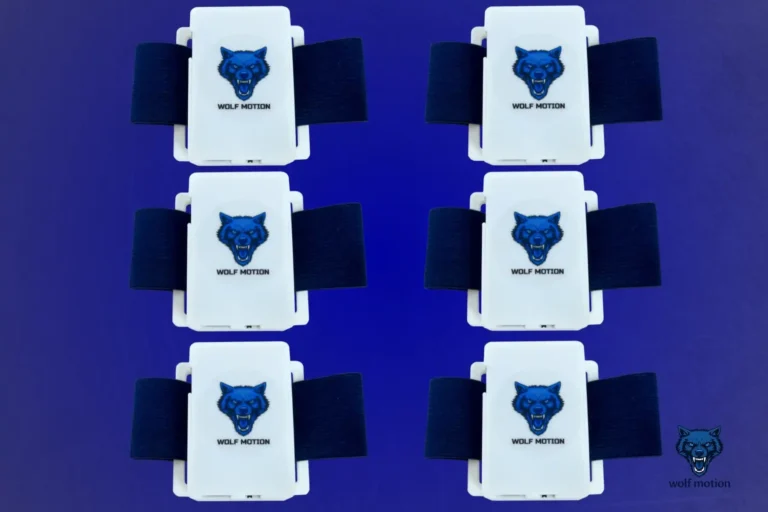
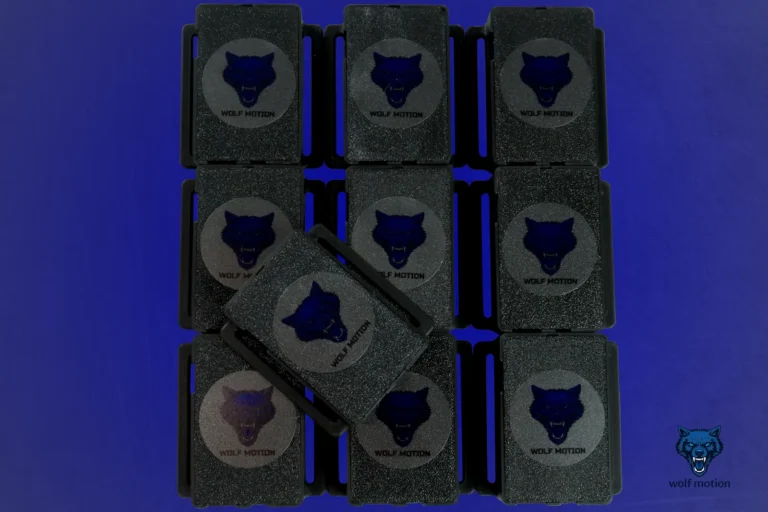
- SlimeVR-compatible full-body trackers
- A stable local Wi-Fi network
- Access to the SlimeVR server
- OSC enabled inside VRChat
- Tracker straps and charging cables
WolfMotion trackers connect through 2.4 GHz Wi-Fi. Your headset and the device running the SlimeVR server must also be connected to the same local network.
Your internet speed is not the most important part here. The quality and stability of the connection inside your home matters more.
A reliable router and a clean local connection will always beat a fast internet plan running through a weak Wi-Fi signal.
Do You Need Base Stations?
No.
SlimeVR-compatible trackers use IMU sensors to estimate the movement and rotation of different parts of your body. They do not rely on external cameras or lighthouse base stations placed around the room.
That means you do not need to:
- Drill anything into the walls
- Place tracking towers around your playspace
- Keep a direct line of sight between trackers and cameras
- Build an expensive SteamVR lighthouse setup
You wear the trackers, connect them to your network, calibrate, and move.
This makes the system easier to travel with and much easier to use in bedrooms, apartments, or shared spaces where permanent base stations are not realistic.
Quest Body Tracking vs Dedicated Trackers
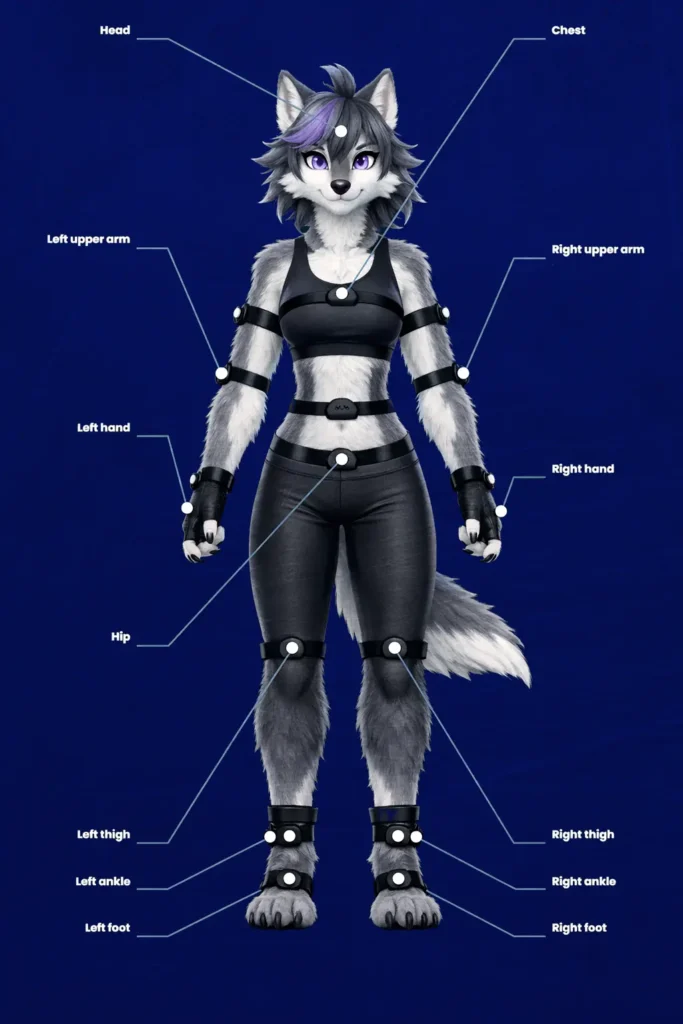
Quest 3 already has built-in body estimation features, so it is fair to ask why external trackers are still useful.
The headset can estimate parts of your pose using its cameras, headset position, controller movement, and software prediction. That can improve how your avatar looks compared with basic headset-and-controller tracking.
But estimation is not the same as directly tracking the movement of your waist, thighs, ankles, feet, or elbows.
Dedicated trackers give the system more information about what your body is physically doing.
That matters when you:
- Dance
- Sit or lie down
- Move your legs independently
- Lean or twist your hips
- Perform for other users
- Record VR content
- Want your avatar to feel more connected to your real movement
Built-in estimation tries to predict your pose.
Full-body trackers give VRChat more actual movement data to work with.
How Standalone Quest 3 Full-Body Tracking Works
The setup has three main parts:
Your trackers measure body movement.
The SlimeVR server receives and processes the tracking data.
VRChat receives the finished body-position data through OSC.
All three need to communicate correctly.
The trackers do not connect directly to five different VR games by themselves. They send their movement data to the SlimeVR server, which handles calibration, body assignments, and communication with VRChat.
For Quest standalone users, OSC is what allows that tracking data to reach VRChat without using SteamVR.
Basic Quest 3 Standalone Setup
The exact menus may change as SlimeVR and VRChat are updated, but the overall process stays the same.
1. Charge Your Trackers
Charge every tracker before beginning.
Starting setup with one tracker dying halfway through calibration is the VR equivalent of losing one sock during laundry. Technically survivable. Emotionally unacceptable.
2. Connect the Trackers to Wi-Fi
WolfMotion trackers use a 2.4 GHz Wi-Fi connection.
Connect each tracker to the same local network used by your Quest and SlimeVR server setup.
3. Assign Tracker Positions
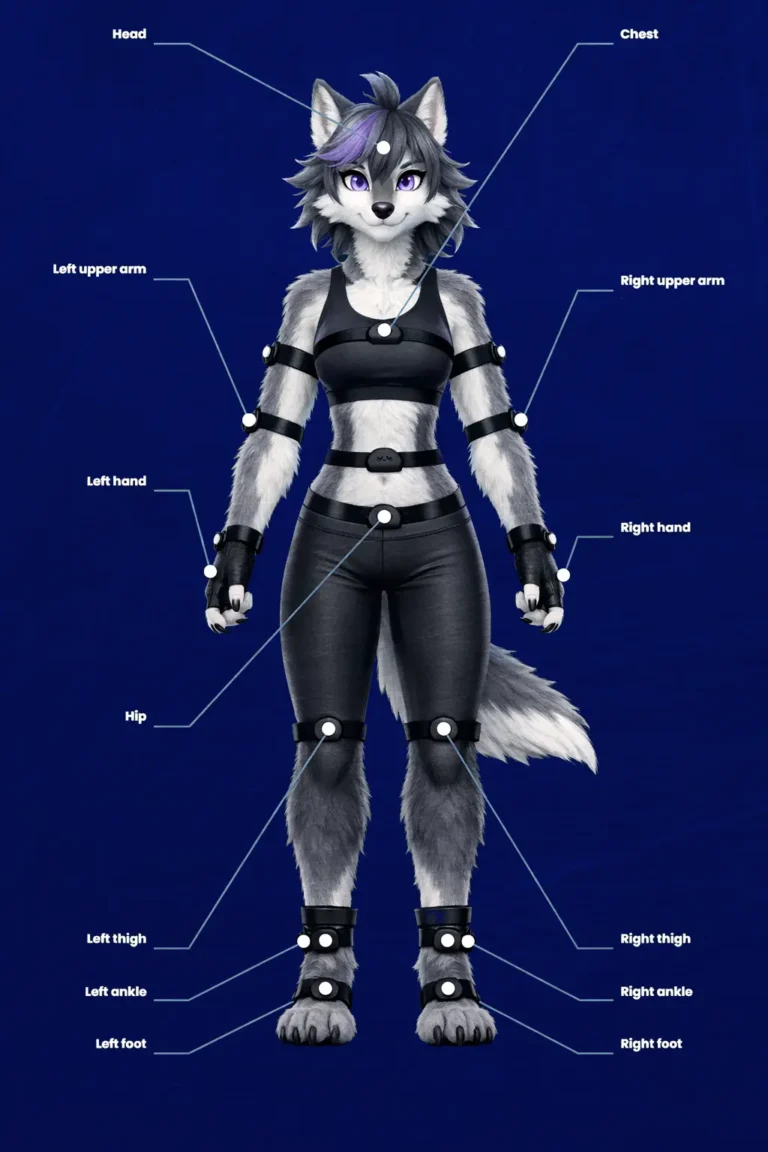
Inside the SlimeVR server, assign each tracker to the correct body location.
The exact positions depend on whether you are using a 6-, 8-, or 10-tracker set.
Make sure the physical tracker and its assigned position match. A tracker assigned as your left ankle should not be attached to your right thigh unless you want your avatar to discover a new form of abstract dance.
4. Enable OSC
Enable OSC inside the SlimeVR server settings.
Then enable OSC in VRChat through the in-game radial menu.
OSC allows VRChat to receive tracking information from the SlimeVR server while you are playing standalone.
5. Reset and Calibrate
Stand in the recommended calibration pose and complete the reset process.
Calibration teaches the system how the trackers are positioned relative to your body.
Good calibration matters. If the initial pose is crooked, loose, or rushed, the tracking will reflect that.
6. Enter VRChat and Test Movement
Load into a private or quiet world first.
Walk, sit, turn, crouch, and move each tracked limb. Check that every tracker follows the correct side and body position.
Minor adjustments are normal during your first setup. Once everything is assigned correctly, future sessions become much faster.
WolfMotion customers can also follow the standalone setup video inside our Discord’s #helpful-videos channel.
How Many Trackers Should You Use?
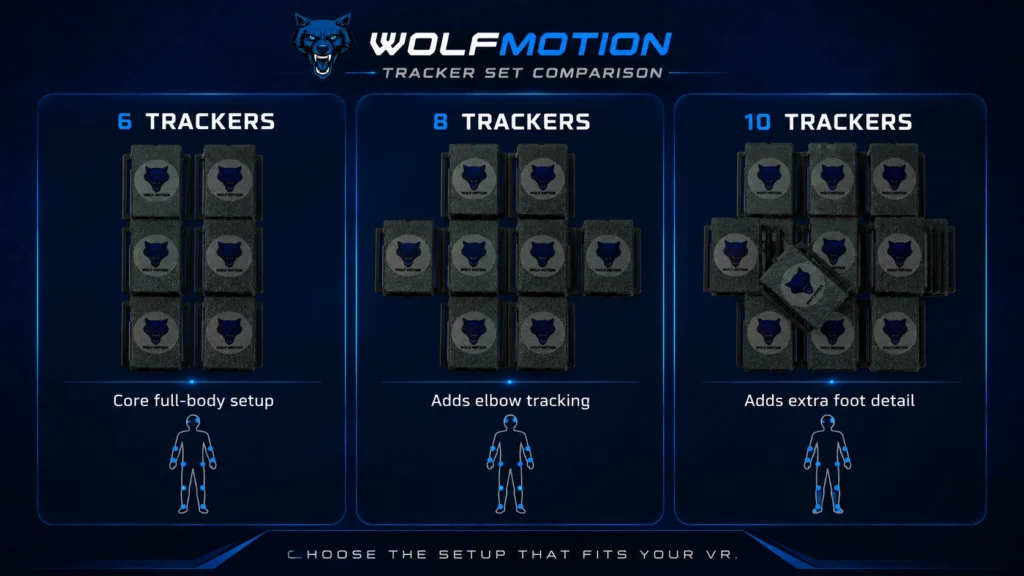
The right tracker count depends on how much movement you want to capture.
6 Trackers: The Best Starting Point
For most new users, six trackers are the best place to begin.
A 6-tracker setup gives you the main full-body experience people expect from VRChat. Your hips and legs become part of your avatar’s movement instead of being mostly estimated.
It offers the best balance between:
- Price
- Setup time
- Comfort
- Tracking coverage
- Ease of use
For general VRChat use, social worlds, casual dancing, and first-time FBT users, six trackers are usually enough.
8 Trackers: More Upper-Body Expression
An 8-tracker WolfMotion set adds elbow tracking.
This gives your arms more information beyond what VRChat receives from the Quest controllers. It can make posing, dancing, gesturing, and performance movement feel more expressive.
Choose eight trackers when you want your upper body to feel more alive without building the largest setup.
10 Trackers: The Most Complete WolfMotion Setup
A 10-tracker set adds foot tracking in addition to the main body and elbow positions.
This is designed for users who want the most expressive setup WolfMotion offers.
It is especially useful for:
- Dancing
- VR performers
- Content creators
- Detailed posing
- Users who care about foot orientation and lower-body movement
More trackers do mean more straps, charging, and body assignments. But for people who spend serious time in VRChat, the added expression can be worth it.
For a deeper comparison, read our guide:
How Many Trackers Do You Need for VRChat Full-Body Tracking?
Can You Use Quest 3 FBT Without SteamVR?
Yes.
When you use the standalone version of VRChat on Quest 3, the game is running directly on the headset. SteamVR is not involved.
The tracking data reaches VRChat through OSC instead.
This is one of the biggest advantages of standalone full-body tracking. You can experience tracked movement without owning a gaming computer powerful enough to run PCVR.
That said, PCVR can still provide access to more demanding worlds, avatars, graphics, and applications. Standalone tracking does not replace PCVR for every use case — it simply gives Quest users another way into full-body movement.
Does Standalone FBT Work in Every Quest Game?
No.
Full-body tracking support depends on the application.
VRChat is the main use case because it can receive external tracking data through OSC. Buying trackers does not automatically add FBT to every standalone Quest game.
Before purchasing trackers for a specific application, check whether that application supports external full-body tracking.
WolfMotion trackers are primarily built for VRChat, social VR, dancing, performance, and compatible SlimeVR environments.
Common Quest 3 FBT Problems
Trackers Are Not Appearing
Confirm that:
- Every tracker is powered on
- The trackers are connected to 2.4 GHz Wi-Fi
- All devices are on the same local network
- The SlimeVR server can see the trackers
- OSC is enabled
- Tracker body positions are assigned
The Avatar Looks Twisted
Perform a full reset and recalibrate while standing straight.
Also check that left and right trackers have not been swapped.
Tracking Slowly Drifts
Some drift is normal with IMU-based tracking.
A quick reset realigns the system. How frequently this is needed depends on the tracker sensors, movement intensity, calibration, and session length.
Secure straps also matter. A tracker sliding around your leg can look like sensor drift even when the sensor itself is working correctly.
Movement Feels Delayed
Check local Wi-Fi stability.
Move closer to the router, reduce network congestion, and avoid weak or heavily obstructed connections.
The trackers send small amounts of data, but that data needs to arrive consistently.
Is Quest 3 Standalone Full-Body Tracking Worth It?
For people who spend real time in VRChat, yes.
Full-body tracking does more than add moving legs. It changes how present you feel inside your avatar and how naturally other people read your movement.
The difference becomes especially clear when you dance, sit, lean, perform, or simply exist in a social world without your lower body feeling disconnected.
Standalone Quest FBT is not as simple as turning on a controller. There is setup, calibration, charging, and the occasional reset.
But you do not need an expensive lighthouse system or a high-end gaming PC to experience it.
You need the right trackers, a stable network, and a little patience during the first setup.
After that, your avatar stops guessing so much.
It starts moving with you.
Ready to Build Your Quest 3 FBT Setup?
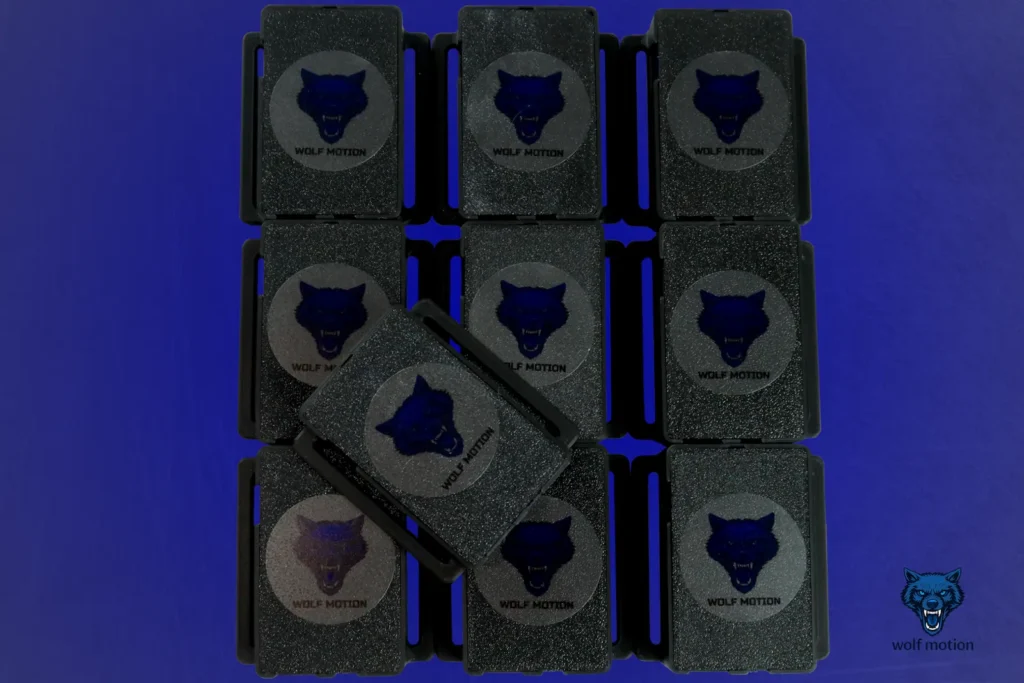
WolfMotion full-body trackers arrive assembled, tested, and ready for setup.
Choose the tracker count that fits the way you move:
6 trackers for the best starting experience
8 trackers for added elbow movement
10 trackers for maximum expression with foot tracking
No base stations. No lighthouse setup. Just wireless, SlimeVR-compatible tracking built for VRChat and Quest users.