
how to reduce full-body tracking drift in vrchat
sideways feet, crooked hips, or an avatar that slowly turns away from you? here is how to identify the problem and get your full-body tracking back in line.
Table of contents

you are hanging out in vrchat, everything feels right, and then you notice it: one foot has slowly turned sideways. your real leg is facing forward. your avatar apparently has other plans.
with imu-based full-body tracking, small orientation errors can accumulate during a session. this is usually called full-body tracking drift, and a yaw reset can bring your tracking back into alignment.
however, crooked movement can also come from tracker placement, calibration, body proportions, or connection problems. figuring out which one you are seeing makes troubleshooting much easier.
this guide focuses on slimevr-compatible imu trackers, including wolfmotion trackers.
first, identify the symptom
use these as starting points rather than a definite diagnosis:
| what you see | what to check first |
|---|---|
| movement starts correctly, then a foot or limb gradually rotates sideways | yaw drift and a yaw reset |
| a limb moves in the wrong direction immediately after setup | tracker assignments and mounting orientation |
| feet float, sink, or slide even after you reset | body proportions, floor height, and avatar calibration |
| movement freezes, stutters, or arrives late | tracker connection and local network stability |
fix one thing, test it, and then move to the next. changing six settings at once makes it difficult to tell what helped.
1. let your trackers settle at startup
place your trackers on a solid, flat surface when you switch them on. keep them still while startup calibration completes before putting them on.
slimevr’s imu calibration guide recommends a 20-30 second period of stillness at startup. follow the instructions for your particular hardware and firmware if they differ.
this gives the sensors a stable starting point. switching them on while walking around with them in your hands can interfere with that process.
startup calibration is separate from the resets you perform while wearing the trackers.
2. make sure the trackers stay in place
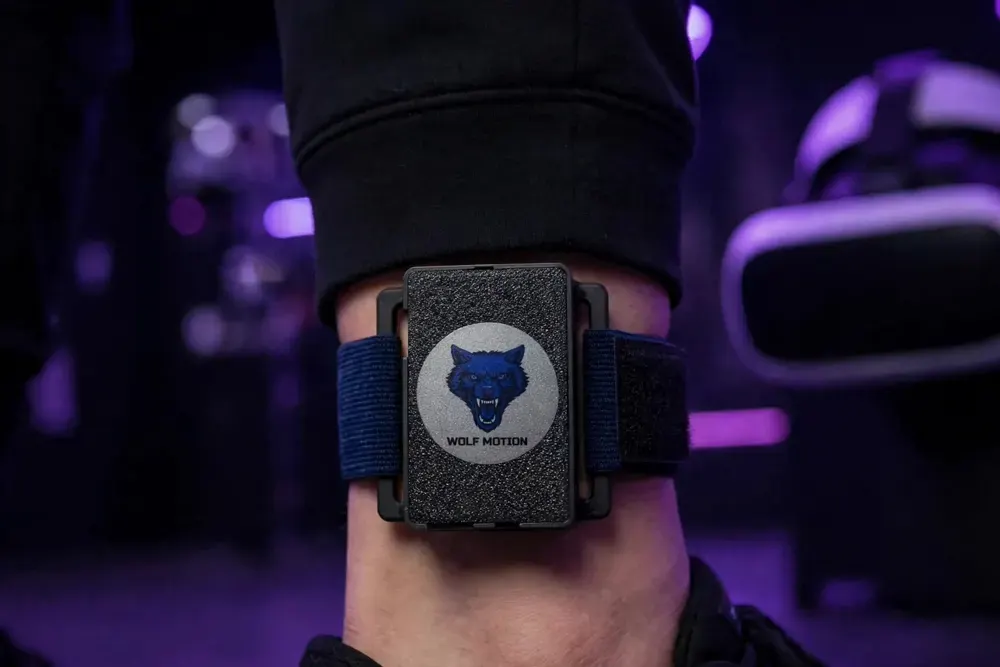
each tracker should move with the body part it is assigned to. if its strap slides or the case rotates independently, the software receives movement that does not match your body.
check that:
- each tracker has the correct body assignment in slimevr
- its configured mounting direction matches how you wear it
- straps hold it securely and comfortably
- clothing is not allowing it to shift around
try a few gentle movements before entering a busy world: bend your knees, turn, lean, and sit down. check whether the cases stay in position.
if you change where or how you wear a tracker, revisit mounting calibration before judging the result. slimevr’s tracker placement guide includes visual references.
3. use the right reset
slimevr has different resets for different jobs. follow the pose and countdown shown by your installed version.
| reset | what it is for |
|---|---|
| full reset | establishing session alignment while you hold the instructed standing pose |
| mounting reset | calibrating the directions in which your trackers are attached |
| yaw or quick reset | realigning heading when orientation has drifted during use |
for gradual sideways rotation, use a yaw reset with your body aligned and facing forward as instructed. avoid triggering it while twisted around or looking down at your feet.
a yaw reset will not correct a loose strap, an incorrect body assignment, or inaccurate body measurements.
set up a convenient reset control so you can use it without interrupting your session. pcvr users can follow slimevr’s steamvr reset binding guide. available controls depend on your setup.
4. check body proportions and avatar calibration
slimevr uses a virtual skeleton to turn sensor rotations into body positions. its measurements need to fit your real body.
if your feet consistently float, slide, or sink, review your body proportions. follow the automatic body proportions guide and check the resulting measurements instead of repeatedly resetting heading.
then check vrchat’s height and full-body calibration. stand upright and look forward when confirming the calibration pose.
try another avatar too. unusual proportions or rigging can affect how tracking looks. a problem that appears on one avatar gives you a different troubleshooting lead from a problem that appears everywhere.
5. investigate stuttering separately
jerky movement or delayed updates can point to connection trouble. improving the network may help those symptoms, but it does not remove the sensor error that causes yaw drift.
wolfmotion’s wi-fi trackers require a 2.4 ghz connection. make sure the trackers and device running slimevr can communicate on the same local network.
test closer to your router and watch whether the connection becomes more stable. if you see packet loss or large ping spikes, investigate local wireless interference before changing calibration settings.
for the full troubleshooting checklist, see slimevr’s common issues guide.
6. use sensor-specific calibration instructions
if one tracker keeps drifting much more than the others, check its sensor type and firmware version before attempting imu calibration.
the correct procedure varies. even bmi160 trackers use different instructions depending on firmware version. follow the matching section of the official imu calibration guide, or ask wolfmotion for help with your set.
there is no single reset interval that applies to every tracker. sensor hardware, calibration, firmware, and your tolerance for misalignment all affect when a reset becomes useful.
build a simple session routine
- switch on the trackers and let startup calibration finish while they stay still.
- fit them securely and confirm their body assignments.
- complete the session and mounting steps shown in slimevr.
- calibrate in vrchat, then test a turn, crouch, and seated pose.
- use a yaw reset when gradual heading drift becomes noticeable.
if the same tracker repeatedly causes trouble, record a short clip and note its assigned body position, sensor, firmware version, and the steps you have tried. share those details in the wolfmotion discord so we can help narrow it down.
find your full-body tracking setup
wolfmotion makes assembled slimevr-compatible trackers for people who want to bring more of their movement into vr. explore our full-body tracker kits or read our tracker count guide to choose a setup that suits how you move.